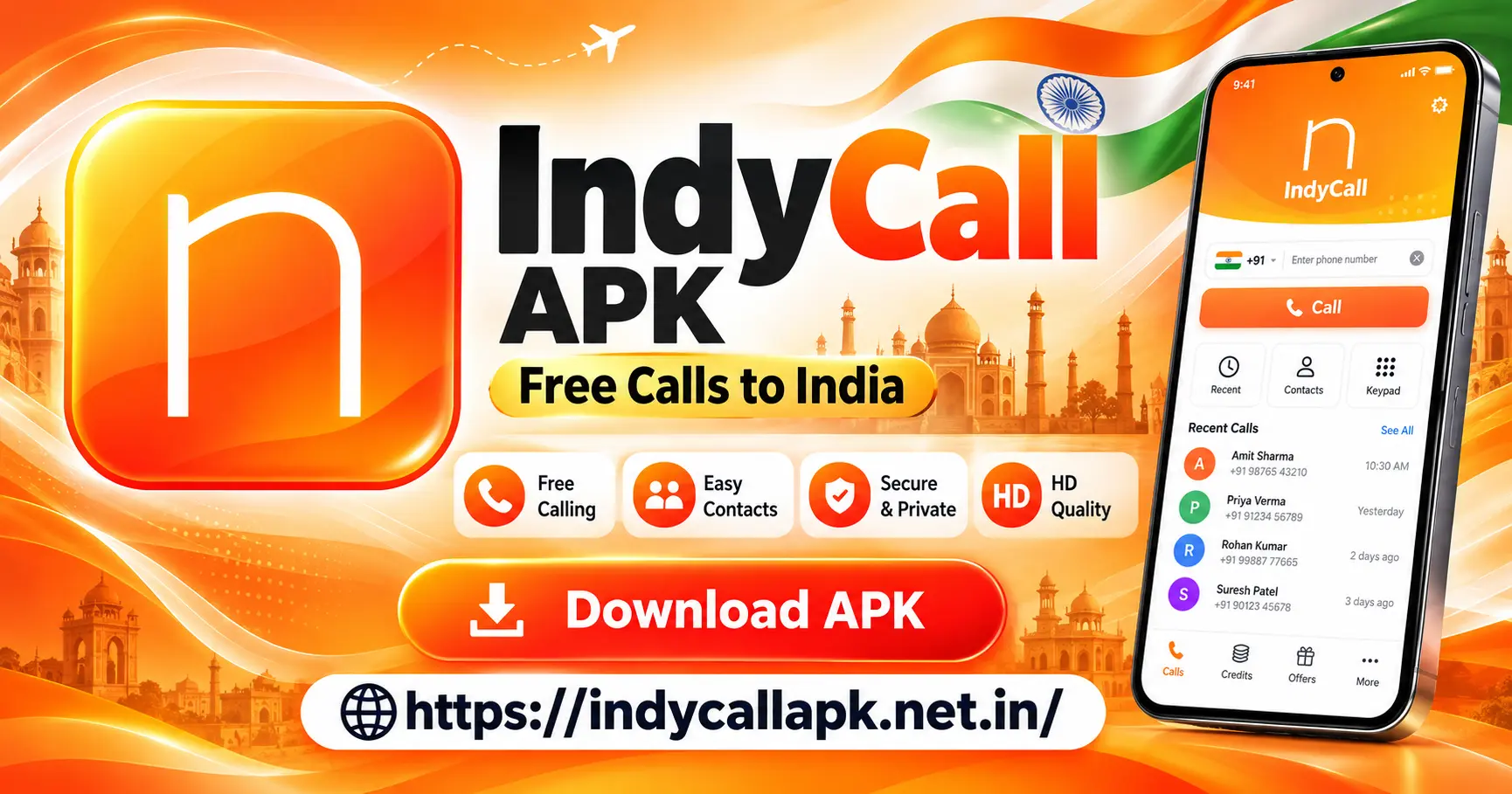

Indycall
IndyCall lets users make calls to Indian phone numbers without regular phone bills.
IndyCall
IndyCall is a calling app for people who want to contact Indian phone numbers. It lets people make calls without paying regular phone charges for every call. Advertisements help support its free calling service. Callers can select someone from their phone book or enter a number manually. Before connecting a call, the app may display an advertisement. The available free call time can vary depending on the user’s location and the number they dial. This makes the service useful for people who regularly contact friends and family in India. People can also earn or purchase IndyMinutes through available options. These minutes offer another way to make calls with fewer advertisements and certain calling restrictions.
The app keeps its calling process simple and easy to understand. An active internet connection is necessary before making calls. It can access saved phone contacts, which saves time when dialing familiar numbers. Manual dialing also lets people call any supported number. The service mainly focuses on Indian mobile and landline numbers. Before connecting a free call, IndyCall displays the available calling time. Some people choose the IndyCall APK when they prefer another installation option. The latest listed Android release is version 1.18.0. In August 2026, the developers released an update with several fixes and improvements.
IndyCall Information Table
| Information | Details |
| App Name | IndyCall – calls to India |
| Latest Version | 1.18.0 |
| Developer | Indycall / Transit Telecom SIA |
| File Size | About 88.5 MB |
| Android Requirement | Android 6.0 or higher* |
| Category | Communication |
| Last Updated | today |
What is the IndyCall App?
IndyCall is a communication app that lets users call Indian phone numbers. It uses an internet connection instead of the regular mobile calling network. Users can select a saved contact or enter a phone number manually. They usually need to add India’s country code (+91) before dialing. After entering a number, the app displays the available call time. An advertisement helps support the free calling service. Once users complete the advertisement process, they can start their calls. However, users may sometimes need to try again before connecting. Another useful feature is that the receiver does not need to install IndyCall. This allows users to call regular mobile and landline numbers without asking others to use the same app. As a result, IndyCall offers a different approach to internet-based calling.
Users IndyCall can install and use the app on both Android and iPhone devices. Its main purpose is calling Indian numbers through its calling service. The app can access the phone contact list when permission is provided. This lets users find people without typing every number again. Free calls have limits, and these limits can change based on location and the number dialed. Users can also earn IndyMinutes by completing available tasks and surveys. Purchased IndyMinutes can provide calls without the normal advertisement process. The service also offers a way to register a phone number for caller identification in supported versions. So, the app has both free and paid options for calling.
How to Download, Install, and Use IndyCall?
- Open Google Play or Apple’s App Store on your device.
- Type IndyCall – Calls to India in the search box.
- Check the developer details to find the correct IndyCall app.
- Tap Install or Get to download the application.
- Once installation finishes, open IndyCall on your phone.
- Sign in with your Google ID or Apple ID if the app offers that option.
- Allow contact access to use numbers saved in your phone book.
- Turn on Wi-Fi or mobile data before making calls.
- Choose a saved contact or enter an Indian phone number manually.
- Add India’s +91 country code to the number.
- Check the available calling time before starting your call.
- Watch the advertisement when prompted, then continue with your call.
Features of IndyCall
Free Calls to Indian Numbers
IndyCall lets users call Indian phone numbers without paying regular calling charges. Advertisements help the app provide free calling services. Users may need to watch an ad before starting a call. The available free calling time can vary depending on several factors.
Contact List Calling
The app can use the contact list already saved on your phone. You can select a person instead of typing their number every time. This makes the calling process easier for regular contacts. Users must allow contact access in their device settings.
Manual Number Dialing
Users can also enter phone numbers manually. This feature helps users call numbers that they have not saved in their contacts. The number should include the Indian +91 country code. After entering it, the app shows the available call information.
Advertisement Supported Calling
The app uses advertisements to support its free calling service. After the advertisement step, the calling process can continue. This is the main way the free service works.
Call Time Display
The time can change depending on your location and the number you dial. This gives users an idea of the available calling period. The limit can be different for different calls.
IndyMinutes
IndyMinutes let users make calls with fewer advertising restrictions. Users can buy these minutes directly through the app. According to the official FAQ, purchased IndyMinutes never expire.
Free Minutes Through Tasks
Users can sometimes earn IndyMinutes without directly purchasing them. The app provides tasks and surveys through its offer section. Users can earn additional minutes by completing available tasks. The app adds minutes according to each offer. The available tasks can change over time.
No Normal Phone Bill
IndyCallIndyCall lets users make free calls without paying a regular phone bill. Advertisements help cover the service’s calling costs. This option can help users contact Indian phone numbers without using their regular calling credit. However, users still need an active internet connection to make calls.
Internet Calling
The application uses an internet connection for its calling service. Users can connect through mobile data or Wi-Fi. A stable connection can help the calling process work more smoothly. Without internet access, the app cannot place its calls.
Temporary Caller Number
When a user makes a call without a registered number, IndyCall can use a temporary IndyCall number. This means the personal mobile number does not always appear to the receiver. The exact caller number options can depend on the current version and service rules.
Phone Number Registration
The service provides an option for registering a phone number in supported situations. The official FAQ describes this as the “My number” service. It can allow the registered number to appear as the caller number. This option is separate from the normal IndyMinutes balance.
Android Support
Android users can download IndyCall through Google Play. The current listed version is 1.18.0. Third-party Android listings show this release with Android 6.0 or newer requirements. Older releases can have different Android requirements.
iPhone Support
IndyCall is also available for iPhone users. The App Store listing requires iOS 12.0 or later. The iPhone version also includes in-app purchases for IndyMinutes and other options. Its listed app size is about 108.8 MB.
Unlimited Number of Calls
The official FAQ says there is no fixed number of calls per user. However, individual free calls can have time limits. As a result, users may need to make multiple calls while still following the available limits. In addition, the actual connection can depend on the service and the quality of the internet connection. Therefore, call quality and connection speed may vary depending on the user’s network conditions.
Calls Without App on Receiver Side
The receiver does not need to install or use IndyCall. The service connects users with regular phone numbers. This feature makes IndyCall different from apps that only connect people within the same platform. Receivers can answer calls on their normal mobile or landline phones. As a result, users can contact people who do not have IndyCall installed.
Simple Calling Interface
The main calling process uses a basic contact or number selection system. Users choose a contact or type the number manually. The process does not need many extra settings for a normal call.
Support for Mobile and Landline Numbers
IndyCall does not support every type of phone number. Users cannot call emergency numbers, freephone numbers, or certain short service numbers through the app.
Bluetooth Support
The latest Android update adds a fix for Bluetooth-related issues. This improvement helps users who connect Bluetooth devices during calls. The August 2026 update also fixes interruptions when users unlock their phone screens. The latest version information lists both improvements.
Survey Offerwall
The recent Android version added a new offerwall with surveys.The available surveys can vary by region and account. Some offers may not appear for every user.
Pros and Cons
Pros
- Free calling options are available for Indian numbers.
- Users can call without paying a normal phone bill.
- The receiver does not need the IndyCall App.
- Users can select contacts from their phone.
- Users can also enter phone numbers manually.
- The available call time appears before calling.
- Users can earn IndyMinutes through available tasks.
- Purchased IndyMinutes can reduce advertisement interruptions.
- The app supports Android devices.
- The app is also available for iPhone users.
- An internet connection is enough for the calling service.
- Users do not always need to show their personal number.
Cons
- Free calls have time limits.
- Advertisements can appear before free calls.
- Users need a stable internet connection to make calls.
- IndyCall does not support certain special phone numbers.
- Free calling availability can vary by location.
- Some users may need to complete tasks for extra minutes.
IndyCall vs Official Phone Calling
Many users want to understand how IndyCall differs from regular phone calls. The main differences involve call connections and payment methods. IndyCall uses an internet connection and its own calling system. Normal phone calling uses the mobile network from your SIM card. IndyCall can provide free calling options through advertisements. Regular calls normally use your mobile balance or calling package. Both methods can connect with ordinary phone numbers.
| Feature | IndyCall | Normal Phone Calling |
| Internet Required | Yes | No |
| SIM Calling Balance | No | Usually |
| Free Calling | Available | Limited |
| Advertisements | Yes | No |
| Indian Numbers | Available | Available |
| Contact List | Yes | Yes |
| Call Time Limit | Possible | Package dependent |
| Emergency Numbers | Not supported | Supported |
| Android Support | Yes | Yes |
| iPhone Support | Yes | Yes |
IndyCall offers several features that differ from regular phone calling. Users can make calls through an internet connection instead of using their regular calling balance. Advertisements help the app provide free calling options. Users can also purchase IndyMinutes to enjoy fewer advertising restrictions. Before starting a free call, the app displays the available calling time. This helps users check their remaining time before continuing. IndyCall mainly focuses on calls to Indian phone numbers.
Regular phone calls work differently because they use mobile networks. Users do not normally need Wi-Fi or mobile data for these calls. They can also make calls without watching advertisements. Regular mobile networks support emergency numbers and other special services. Users do not need an IndyCall account or app to make normal calls. Instead, calling charges depend on their SIM package, available balance, and network provider. Both calling methods offer different features and ways to connect.
IndyCall Alternatives
Some users may look for other calling applications for similar needs. Different apps use different calling systems and pricing methods. Some focus on internet calls between app users. Others allow calls toward normal mobile and landline numbers. The available features can also depend on country and device. Here are some real applications users may consider.
Google Voice
Google developed Google Voice as a communication service. It offers calling, messaging, and voicemail features in supported regions. Users can make internet-based calls through compatible devices. The service also gives eligible accounts a separate phone number. Unlike IndyCall, Google Voice does not focus mainly on free calls to Indian numbers. Its availability and calling features depend on the user’s country. Google also limits some features outside the United States. Overall, Google Voice works as a broader communication service.
TextNow
TextNow offers calling and messaging services through an internet connection. Users can get a phone number in supported regions and use it to communicate with others. The app works on mobile devices and other compatible platforms. Unlike IndyCall, TextNow does not focus specifically on calls to Indian phone numbers. Instead, it offers its own calling plans and service limits. Available features may also vary depending on the user’s location. Many users choose TextNow for internet-based calls and messages in supported areas.
Talkatone
Talkatone is another communication application that provides calling and messaging features. It can use Wi-Fi or mobile data for communication. The service has options for calling phone numbers in supported countries. Unlike IndyCall, it supports communication beyond calls to Indian numbers.Talkatone also provides a broader communication setup. Some features may require credits or other paid options. The exact availability can depend on the country and current service rules.
Dingtone
Dingtone is a calling and messaging application that uses an internet connection. It provides users with options for calling phone numbers and sending messages. The app also has a credit system for some calling services. Compared with IndyCall, Dingtone supports a wider range of communication uses. Users can earn or purchase credits depending on the available options. Calling rates and supported destinations can vary. The application is available on supported Android and iOS devices.
FAQs
What is IndyCall?
IndyCall is a communication app that helps users call Indian phone numbers. The app uses an internet connection to connect calls. Users can also enjoy free calling options by watching advertisements.
Is IndyCall safe to use?
The official IndyCall app is available on Google Play and Apple’s App Store. Users should download the app directly from these trusted platforms whenever possible. Downloading APK files from unknown websites may expose devices to security risks.
Is IndyCall free to use?
IndyCall provides free calling options to supported Indian numbers. Free calls can include advertisements and time limits. Users can also use IndyMinutes for additional calling options.
Does IndyCall require an internet connection?
Yes, IndyCall requires an active internet connection to work. Users can connect through Wi-Fi or mobile data. A stable connection helps users enjoy better call quality and a smoother calling experience.
Can I call an Indian mobile number?
Yes, IndyCall lets users call Indian phone numbers. Users can enter a phone number manually or choose one from their contacts. Make sure to use the correct Indian country code when dialing.
Can I call an Indian landline?
The service supports many Indian landline numbers. However, the app does not support certain special phone numbers. Emergency and some service numbers may not work through the application.
Does the receiver need IndyCall?
No, the receiver does not normally need the IndyCall App. The service can connect with normal Indian phone numbers. This lets the other person answer through their regular phone service.
Can IndyCall show my phone number?
IndyCall offers different caller number options. Users can try a temporary IndyCall number without registration. The app also allows users to register a number when the service supports this option.
Can I use IndyCall without a SIM card?
IndyCall uses an internet connection to make calls. However, account setup may vary depending on the device. Some phone features may still require a SIM card. Users should follow the registration instructions displayed inside the app.
Does IndyCall need root access?
Several issues can affect IndyCall connections. A poor internet connection may interrupt your calls. The app may also block unsupported numbers. Sometimes, temporary server problems can prevent users from making calls.
Why is IndyCall not working?
Connection problems can happen for several reasons. A weak or unstable internet connection may interrupt calls. IndyCall may also reject unsupported numbers or experience temporary service issues.
How much storage does IndyCall require?
Some app listings show the current IndyCall Android version at around 88.5 MB. However, the app may take up more space after users install updates. It may also need extra storage for temporary files and app data.
Does IndyCall work on iOS?
Yes, IndyCall is available for iPhone through the App Store. The current App Store listing supports iOS 12.0 or later. Features can vary between the Android and iPhone versions.
Can I use IndyCall on a PC?
Users do not need a desktop version for basic IndyCall features. However, Android users can try running the app on a computer with an Android emulator. The emulator allows users to run compatible mobile apps on their PCs. Performance may vary depending on the computer’s hardware and the selected emulator.
Can I switch back to normal phone calling?
Yes, using IndyCall does not remove normal phone calling from your device. You can continue using your SIM for regular calls. Both calling methods can exist separately.
Conclusion
IndyCall helps users make calls to Indian phone numbers through the internet. Its simple calling process makes contacting people in India easier. Users can select a saved contact or enter a phone number manually. Advertisements support free calls, while IndyMinutes offer another calling option. Before starting a free call, users can check the available call duration. This helps them know how much time they can use. IndyCall also supports Android and iPhone devices. Another useful feature is that receivers do not need to install the same app. This makes IndyCall different from many other internet calling apps. Overall, the app focuses on simple calls and convenient communication with Indian phone numbers.
The IndyCall App also provides different ways to get additional calling time. Users can purchase IndyMinutes or complete available tasks and surveys. The latest Android version includes changes such as a new offerwall and some fixes. The service can also provide temporary caller numbers in certain situations. Users who register a supported phone number can have another caller ID option. However, IndyCall has some restrictions and does not support certain special numbers. Free calls can also include advertisements before the connection. Because of this, the experience can be different for each user. The app mainly remains focused on calling Indian numbers through its own calling system. Users can check the available call time before each supported free call, and then continue from there
